Tips and TricksLaravel CloudLaravel ForgeLaravel
August 15, 2026
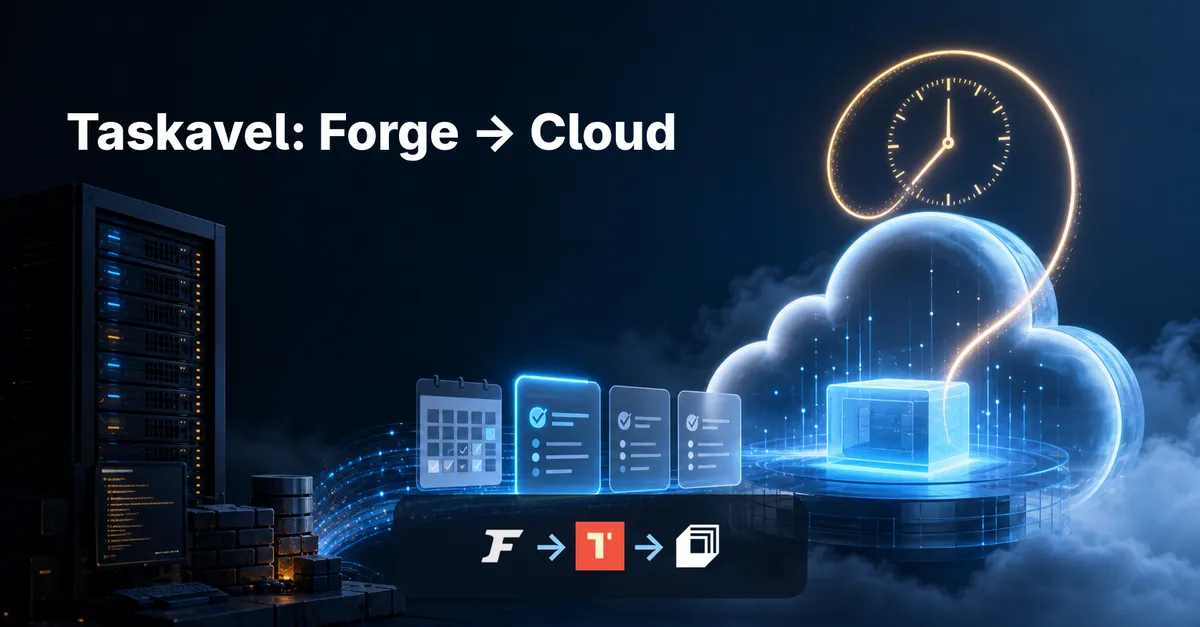
How I Migrated Taskavel from Laravel Forge to Laravel Cloud
By Vladimir Nikolic
August 15, 2026
By Vladimir Nikolic
Forge served me well for years: it deploys from git, manages the VPS, runs cron and workers, and you always know exactly what is on the box. Laravel Cloud offers something different — fully managed infrastructure, no server to patch, managed queues that scale to zero, and zero-downtime deployments as a platform feature.
I recently moved Taskavel from Forge to Cloud, and this is the honest account of how it went — why I did it, what I got wrong, and the one trap I walked straight into that turned into a product of its own.
Two promises I will not make, because they would not be true: that the cutover is zero-downtime (plan for a window, be delighted if you do not need it), and that your bill will drop (it depends entirely on your traffic and usage — mine had a twist I will get to).
I did not move because Forge was failing me. I moved for two reasons.
Trust. I already host my own and my clients' applications on Laravel Cloud. Consolidating Taskavel onto the same platform I already rely on means one mental model, one dashboard, one place I know well.
Cost — in theory. Cloud can put an idle environment to sleep and stop charging for compute until the next request. For a product with quiet stretches, that is real money saved. (Keep that word "theory" in mind. It comes back to bite me later.)
On top of those: zero-downtime deployments, automatic managed-database backups, and priority support I already have on the platform. Enough to justify the move.
Before touching anything, be honest with yourself:
The Cloud documentation is refreshingly clear about what the platform does and does not do. Read the compute and networking pages before you start, not after you hit a wall.
Forge has quietly been running a lot for you. The single most common migration failure is discovering a service you forgot to move. I will admit it: when I sat down to do this, I could not remember everything my Forge box was doing — which is exactly why you write it all down instead of trusting memory:
php -v — Cloud supports PHP 8.2 through 8.5, so older versions need an upgrade plan first), nginx tweaks, redirects, custom headers.crontab -l plus any Forge-scheduled jobs. Not just schedule:run — the manual scripts, backups, and cleanup jobs nobody remembers adding.Every row maps to a Cloud feature (managed queue, scheduled task, object storage) or needs an explicit decision. That mapping becomes your migration checklist.
Database. The honest way is a controlled dump and restore: mysqldump (or pg_dump) from the current server, restored into a Cloud-managed database. Do it against a staging Cloud environment first — restore, run php artisan migrate against the copy, and compare row counts and spot-check records. Check one thing early: if you run on SQLite anywhere, Cloud does not support it — convert to MySQL/Postgres before the migration, not during it. (Cloud even has a MySQL-to-Postgres guide if you are switching engines too.)
Files. If uploads live on the server's disk, they must move to durable storage — Cloud compute is ephemeral, and anything written to local disk can disappear on redeploy. Provision an object-storage bucket and copy the files over with aws s3 sync, or use Cloud's read-through fallback disk so files migrate lazily on first access. Then switch FILESYSTEM_DISK. Test uploads and downloads on staging before cutover. If you were already on S3/Spaces, this is the easy part — point the same bucket at Cloud.
Your Forge .env is the source of truth; your Cloud environment is a fresh copy. Go through it line by line — and budget more time here than you think:
APP_KEY, APP_ENV, APP_URL — set for the new environment, and never reuse staging values in production.This is the part that actually bit me. A few honest war stories:
.env keys for features we had already removed from Taskavel because nobody used them. A migration is a great moment to delete what you no longer run instead of faithfully carrying junk to a new home.Cloud gives you separate environments per app, plus preview environments per pull request — so you can build staging with the same variable names (production values left blank) and keep production secrets out of it.
The biggest mental shift: you no longer have a box. Cloud builds your app in a clean environment on every deploy — Composer and npm install from scratch, assets compile, the release swaps in. Consequences to plan for:
npm run build that works on your laptop may behave differently in Cloud's build. Deploy to a preview/staging environment early to catch version mismatches.Two Forge staples — Supervisor and cron — have managed equivalents, and they behave differently enough to test early.
Queues. On Cloud you have two honest paths:
QUEUE_CONNECTION=cloud.php artisan queue:work yourself as a background process on an app or worker cluster, using whatever driver you like. This is the closer analog to a Forge setup. If you want Horizon, this is the only path it fits: Horizon monitors the redis connection and runs as a background process here — it does not sit on top of managed queues. It is one model or the other, not both.For Taskavel I kept it deliberately boring: the database queue driver, worker running as a background process. No Valkey, no Horizon, no managed queues. Taskavel's job volume simply does not need them, and fewer moving parts meant fewer things to verify during the cutover. Pick the simplest thing that fits your load — you can always graduate to managed queues later. (One caveat if you lean on scale-to-zero: a self-managed worker can be interrupted when the environment sleeps mid-job, which is exactly why Cloud recommends managed queues for apps that sleep. Taskavel never sleeps — more on that in a second — so this never bit me.)
Scheduler. Forge's cron entry for schedule:run becomes Cloud's scheduled tasks setting — enable it on your compute and confirm schedule:list matches what ran on the server. Then run both old and new schedules for a few days and diff what actually fired.
Websockets (Reverb or similar) run as background processes on compute — document the port and the broadcasting config change before cutover.
Here is the part I am slightly embarrassed about, and the part you will learn the most from.
One of my two reasons for moving was cost, via scale-to-zero: Cloud puts an idle environment to sleep and stops charging for compute until the next request. Money saved. On paper.
Then I deployed the dev environment and watched it flatly refuse to sleep. Taskavel sends reminders, and the scheduler fires every single minute. Cloud wakes a sleeping environment to run scheduled tasks, and each wake keeps it awake for the full sleep timeout — which the next minute's task promptly resets. A minute-level schedule means the environment is effectively awake forever. The scale-to-zero savings I migrated for quietly evaporated.
I solved it — but the solution grew into its own product and deserves its own post, which is coming soon, and it is where wakeavel.com comes in. For now the lesson stands on its own: scale-to-zero only saves money if your app can actually sleep. Audit your schedule before you bank on the savings.
The cutover is the only part your users see, and it is the part you can rehearse.
Before you switch DNS, get eyes on the new environment:
Let me be straight about the economics, because marketing copy will not be.
Forge pricing is simple: a flat per-server fee plus your VPS bill. Cloud bills on usage — compute, databases, queues, bandwidth. A low-traffic app that genuinely sleeps can cost less; a busy app, or one that never sleeps (ask me how I know), can cost more. Model it with your actual numbers, and check your schedule before you count on scale-to-zero.
The operations trade is control for convenience. You lose SSH and server-level customization; you gain automatic TLS, managed-database backups, one-click rollbacks, and no patching duty. For a small team without a dedicated ops person, that trade is usually worth it. For a team that lives in the server, it is a real loss of capability. Decide with your workload, not the brochure.
The migration is not done when DNS points at Cloud; it is done when the old server has been quiet for a week. In the days after:
Migrating platforms is a great moment to have someone who has done it before. At Coding Wisely we help with the inventory, the database and file moves, the queue and cron rework, the cutover sequence, and the post-migration validation — and we will tell you honestly when staying on Forge is the better call for your app. If you are weighing the move or already mid-migration, get in touch.
Will the migration have zero downtime? I would not promise that, and neither should you. Laravel Cloud deploys with zero-downtime releases, but the migration itself involves databases, files, DNS, and a change of platform. Plan a maintenance window, sequence the data moves carefully, and treat a seamless cutover as a pleasant surprise, not a requirement.
Will Laravel Cloud cost less than Forge + VPS? Not necessarily. Forge is a flat fee plus your VPS; Cloud bills on usage. Low-traffic apps that genuinely sleep can be cheaper; always-busy apps can cost more. And watch your scheduler — a task that fires every minute keeps the environment awake around the clock and erases scale-to-zero savings entirely. That one surprised me on Taskavel.
Do I need to change my application code? Mostly configuration, not rewrites: filesystem disk, queue/cache driver, environment variables. The common exceptions are apps that write to local disk (move to object storage), run on SQLite (convert to MySQL/Postgres first), or depend on SSH-level access.
What happens to my Forge server? Keep it as a standby through cutover and for at least a week after. Once the new environment is stable and validated, take final backups and decommission deliberately.
What about cron jobs I set up directly on the server? They do not move automatically. Inventory crontab -l and every Forge scheduled job, map each to a Cloud scheduled task or command, and run both schedules side by side for a few days to confirm nothing was missed.
Can I use Horizon on Laravel Cloud? It is one model or the other, not both. If you use Cloud's managed queues, you dispatch over the cloud connection and monitor jobs in Cloud's own failed-jobs dashboard — Horizon is not in the picture. If you want Horizon, run your own queue:work on an app or worker cluster against a Valkey/Redis cache and run Horizon as a background process there. Managed queues are the lower-maintenance default; Horizon is the choice when you want its dashboard and control. (For Taskavel I used neither — just the database driver, which is plenty for its volume.)
Ready to take the next step? Let's work together to transform your ideas into reality. Contact us today to discuss how we can help you create impactful, user-centered solutions that drive success.
Contact Us